Thank you for subscribing!
The latest features are designed to make streaming your favourite shows more accessible
Freely has just rolled out a fresh software update, bringing new accessibility features to allow more viewers to enjoy the latest must-see shows, documentaries, and films on free-to-air telly.
For those who don't know, Freely was launched in the first half of 2024 by the same team behind Freeview and Freesat. With millions now regularly tuning in, Freely is now projected to overtake both by the end of the decade.
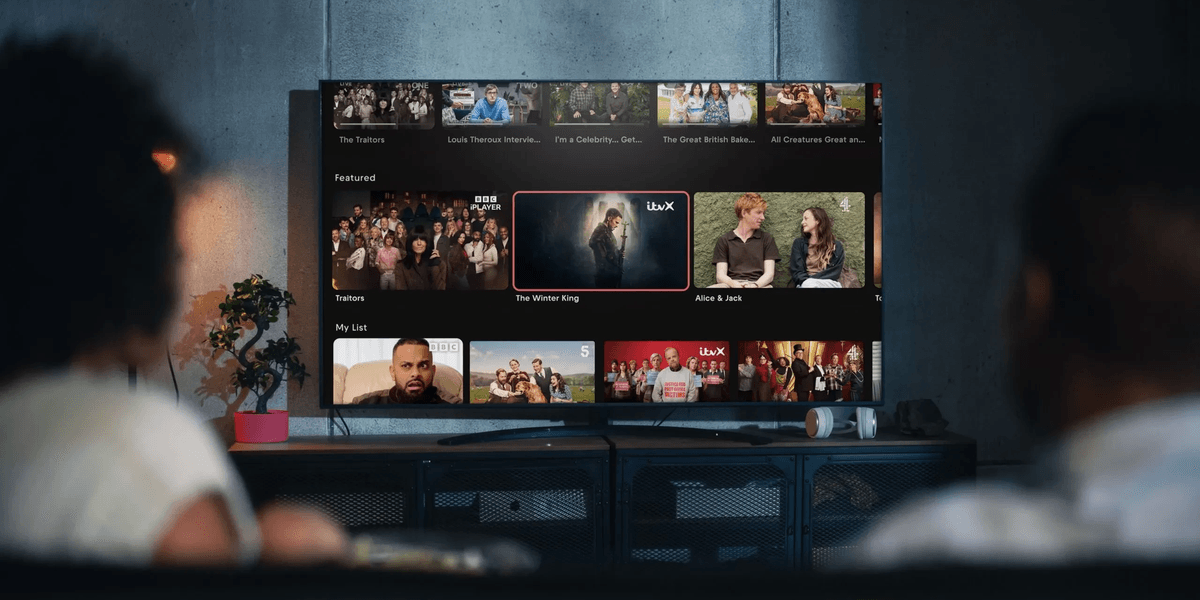
Freely ditches the traditional television aerial, delivering the most popular free-to-air channels over a wireless or wired internet connection instead. It's become a prominent fixture across various smart TVs — including Fire TV and the recently released Roku TV at Currys.
And if your telly doesn't have Freely built into it, like those from Samsung or LG, then you can rely on streaming devices like the Pleio and the Aero 4K TV streamer, which will plug into the back of any TV via an HDMI port.
Since Freely is powered by a Wi-Fi connection, as long as you have a mains plug and a decent wireless connection, you can move your television anywhere and enjoy all the same features the service has to offer. Everyone TV, the team behind the new platform, regularly delivers new software updates over that same Wi-Fi connection.
And the latest software update is rolling out to Freely viewers via Smart TVs and set-top boxes like the Netgem Pleio and Manhattan Aero right now. Here's what you can expect from the most recent release.
A standout addition includes a new signposting system built right into the TV Guide, designed to make finding accessible programmes far easier. Freely said in a blog post: "This update is part of our ongoing commitment to creating a more inclusive, accessible and personalised TV experience for everyone."
When you're browsing live TV schedules, Freely says you'll now spot handy icons next to programmes telling you whether they offer Subtitles (S), Audio Description (AD), or Sign Language (SL). These labels mean you no longer need to dig around to work out which shows support these services.
To get started, you'll need to head into your Accessibility Settings, which you can now find in the top right corner of the Browse screen. From there, it's as simple as toggling on whichever services you want flagged up — and you can pick more than one at a time.
The icons always appear in the same order (S, AD, SL), keeping things nice and consistent. Once you've set your preferences, they stick — even after putting your telly into standby or switching it off entirely. It's also worth noting the feature plays nicely with High Contrast mode if you use it on your TV.
Beyond the accessibility features, this update also bundles in a range of bug fixes and performance tweaks aimed at making Freely run more smoothly overall.
Your TV should pick up the update automatically, so there's nothing you really need to do. But if you want to check, you can head to the Settings menu on Freely and tap on Software Updates.
If a manual update is needed, you'll find the option via the gear icon at the top right of your TV Guide.