Thank you for subscribing!
Good news: You won't need to upgrade to the latest-and-greatest iPhone for an entirely new experience this year.
While the brand-new iPhone 18 Pro lineup lands on store shelves this Friday, and Apple's first foldable device — easily the biggest shake-up to iPhone since its debut 19 years ago — launches next month, the iPhone already in your pocket is set to benefit from a massive upgrade in a few hours. And it won't cost you a penny.
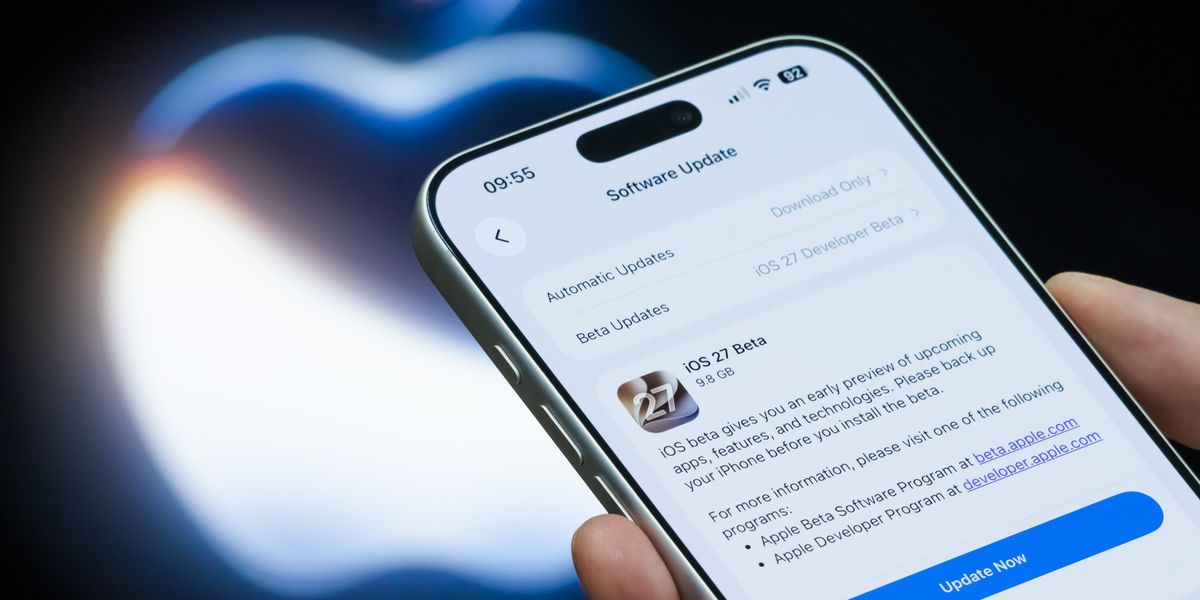
iOS 27 is the next major software upgrade from Apple ...and it's a big deal.
Announced during Apple's developer conference earlier this summer, iOS 27 boasts a brand-new version of the Siri voice assistant, rebuilt from the ground up with ChatGPT-like smarts and the ability to draw upon the data stashed in your iPhone apps, like Messages, Notes, and Mail.
It's called Siri AI, and it will be available on any iPhone that supports Apple Intelligence and iOS 27. That means you'll need an iPhone 15 Pro, iPhone 15 Pro Max, or anything newer than iPhone 16.
Apple first teased plans for a rebooted Artificial Intelligence (AI) assistant ahead of the arrival of iOS 18 back in mid-2024. However, the Californian company delayed its most ambitious features after admitting that it was "going to take us longer than we thought to deliver on these features".
Rebuilt from scratch, with some assistance from Google to train the underlying AI models, Siri AI can draw on real-world knowledge to answer open-ended questions, pen draft emails or cover letters, dream up recipes or suggest travel itineraries based on your criteria, and much more.
It can also trawl through thousands of text messages, emails, photos, videos, reminders, and notes stored on your Apple device to answer questions or surface long-since-forgotten information about your own life.
And that's the secret sauce of this totally-transformed Siri AI.
While ChatGPT, Claude, Microsoft Copilot, Perplexity, and any of the other 'bots can help draft a letter, rewrite your CV, organise data into a spreadsheet, or answer a general knowledge query... none of these other AI helpers can dredge-up information from a text you sent a decade earlier.
Lastly, Siri AI can take actions on your behalf — editing messages, adding appointments to your calendar, writing notes, and tweaking playlists.
When combined, these all-new capabilities result in a truly revolutionary experience. For the first time, Siri AI feels like a personal assistant that actually knows us and can carry out tasks that save us time.
GBN Tech has been test-driving the beta of iOS 27 ahead of its launch tonight (September 14, 2026).
Siri has been preinstalled on every iPhone sold since October 2011. Unusually for Apple, which is rarely first out of the gate, it was at the cutting edge with the launch of its personable voice-activated assistant.
But that lead soon waned, and in the 15 years since Siri made its debut, Apple has faced fierce competition from the likes of Google Assistant and its successor, Google Gemini, Amazon's all-conquering smart home voice assistant Alexa, and newer AI tools, like ChatGPT and Perplexity AI.
All of these services are available as standalone apps on your iPhone, providing a true alternative to Siri ...albeit one that isn't tightly integrated into the rest of the operating system. To catch up, Apple partnered with ChatGPT to help Siri handle open-ended questions two years ago.
But with the arrival of iOS 27, Apple has supercharged Siri AI with everything iPhone owners have jealously admired in talkative AI assistants on rival devices. GBN Tech has been running iOS 27 for the last two months – and it's transformed how we use our iPhone.
Admittedly, it took us a little while to get back into the habit of using Siri.
For years, posing a complex or open-ended question to Siri just returned some variation of "here's what I found on the web" and a prompt to launch your web browser to do your own research.
Siri was always reliable at the basics – setting timers or crunching a quick maths query — but for anything complex, we'd turn to ChatGPT or Claude.
The rebuilt Siri AI is breathtakingly good. It handled everything we threw at it without breaking a sweat – from rewriting an email, summarising text in a photograph, estimating calories in a meal, and telling us whether tickets were still available for a concert we saw advertised on a poster.
While it might've taken a little while to get back into the habit of using Siri, we're quickly becoming reliant on Apple's chatty, all-knowing AI assistant.
It's impressive just how quickly Siri AI can surface a small detail from an email, note, or text buried in the depths of your iPhone storage.
We've sent over 90,000 texts in iMessage, taken over 10,000 photographs, received 33,000 emails, and made over 110 notes. But in the blink of an eye, Siri AI understands what we're asking and whether it needs to check its database of world knowledge or search locally, then trawls through all of the data we've just listed (and more) to return an answer.
Granted, there is a pause while all of this happens, but it's infinitely faster than we'd ever be able to scroll and tap to find the answer ourselves.
The magic behind-the-scenes is a new index of everything stored on your device, which enables Siri AI and an improved Spotlight search. If you've installed iOS 26.6, your iPhone will already be cataloguing everything behind the scenes, ready for the launch of iOS 27.
If not, iOS 27 will index everything into a secure, on-device database. You'll be able to start using Siri AI immediately, but there could be gaps in its knowledge. For us, the entire process took the best part of a work week.
Granted, there is a pause while all of this happens, but it's infinately faster than we'd ever be able to scroll and tap to find the answer ourselves.
It's this treasure trove that makes Siri AI more useful than any other AI assistant out there. While ChatGPT is extremely competent at drafting emails, summarising lengthy documents, or generating step-by-step instructions for recipes, weekends away, and everyday financial tasks — it can't help you locate an address one of your friends sent in a text message months ago or remind you of an album recommended in an email.
Siri AI brings together a similar knowledge of the world with long-forgotten details about your own life stashed in the depths of your iPhone.
We've asked questions like "Siri, what time did my sister say her flight lands?", only for the chatty AI to summon two different instances where she'd mentioned an arrival date into London Heathrow in iMessage.
Likewise, Siri AI was able to competently answer "what did Dad say he wanted for Christmas?" by finding a list in iCloud Notes about potential gift ideas that we'd written months earlier. You can also ask Siri AI to find the name of a restaurant recommended by a specific contact.
But perhaps the moment we were really sold on Siri AI was when we asked it to find out our Council Tax number. After a moment, it found two emails we'd received from the council years earlier with our number listed.
Whenever Siri AI answers any of these queries, it'll show its working — so you can jump to the exact email, text message, or note where it's pulling the information from.
It'll also use multiple data sources to make sure it's as accurate and detailed as possible, drawing on location data from a photo, but cross-referencing with emails and texts sent on the same day to fill in the blanks.
If Siri AI finds multiple examples that fit the bill, like the two flights into Heathrow my sister has booked in recent years, it offers a shortcut to both, so you can double-check yourself.
It's all very transparent and intuitive. In our time with Siri AI, we always understood why the chatty assistant had given a specific answer. And fact-checking Siri AI is a breeze in the redesigned interface and standalone app.
Unlike some AI chatbots, which have a horrible habit of droning on and on, Siri AI is refreshingly succinct. It'll answer your question, and that's it.
But it's not just about finding details on your iPhone, that's only the beginning. Siri AI is conversational, so there's no need to repeat what's already been established during your interaction.
That means you can ask a follow-up like "how long would it take me to drive there?", "add this to my Reminders", or even daisy-chain a couple of requests, like "summarise this and send in a text message to Mum".
Without reiterating any of the previous information, Siri AI will take action for you in the relevant apps. Apple ensures that Siri AI will always double-check before sending a text message or email for you, with the option to step in and make any changes before anything is sent.
After years of sitcom gags about voice assistants mishearing messages or calling the wrong contact, there's no chance of that happening with Siri AI.
But Siri AI doesn't just shine in back-and-forth conversations, either via voice or typed in the new Siri app preinstalled on your iPhone. The redesigned assistant can also understand what's happening on your screen.
This really feels like a magic trick, letting you hold the Side Button on iPhone and say something like "add this to my calendar" or "summarise this in 100 words" or "where was this photo taken?".
In seconds, Siri AI can pull information from an email, webpage, photograph, text message exchange, process it, and take action in a completely different app. You can even point your iPhone camera at a poster in the new Siri Mode, and watch in real-time as the AI assistant pulls out the information, including the name or date of an event, to add to your calendar or send to a friend.
This is considerably faster — and more convenient — than manually copy-pasting the information yourself. Likewise, the ability to daisy-chain multiple requests together back-to-back is a serious timesaver.
You can make a request like "send the photos of Mum and me from Saturday in an email to Dad", and Siri AI will find all pictures that match the criteria, source the email for the contact, and attach everything to a draft email, before asking what you'd like to say in the message.
For the first time since it was introduced 15 years ago, Siri lives up to the promise of an AI-powered personal assistant.
Siri AI isn't only a hands-free way to initiate a call or reply to a text, it can suggest gift ideas based on the content of a group chat visible on-screen, summon a long-forgotten address or number from an email sent decades earlier, or summarise a complex real-world event based on the latest information published online.
There's no need to use a specific phrasing for your commands or constantly reiterate what you're discussing; you can talk to Siri AI like a human, and it'll understand. Siri AI can also take action across multiple apps, saving a huge amount of time, effort, and, in our experience, copy-pasting.
While it feels like Siri AI just works, in reality, the personable AI assistant is piggybacking on a lot of effort we've put into our iPhone over the years. For example, Siri AI wouldn't understand our family ties without us populating that field in the contact card. Likewise, if you haven't taken the time to tag people in your Photos app, you won't be able to ask Siri AI to find a picture of a particular person at a certain time or location.
Similarly, if you rely on third-party apps, Siri AI isn't (yet) able to trawl any of that data. While you can ask about any messages found in the default Apple Mail app, Siri AI is blind to anything stored in Outlook, for example.
If you're one of the millions who send most of your messages via WhatsApp, there's a ceiling on how useful Siri AI can be. With any luck, the developers behind some of the most popular iOS apps will add support for Siri AI in the coming months, so this personal assistant can reach into thousands of these applications to find, add, or remove content.
Provided app developers embrace Siri AI, this clever assistant will truly become a one-stop-shop to do everything on iPhone. It's taken 15 years, but it's been worth the wait.