WhatsApp is finally bringing its Liquid Glass makeover to the Mac app, and it's been a long time coming.
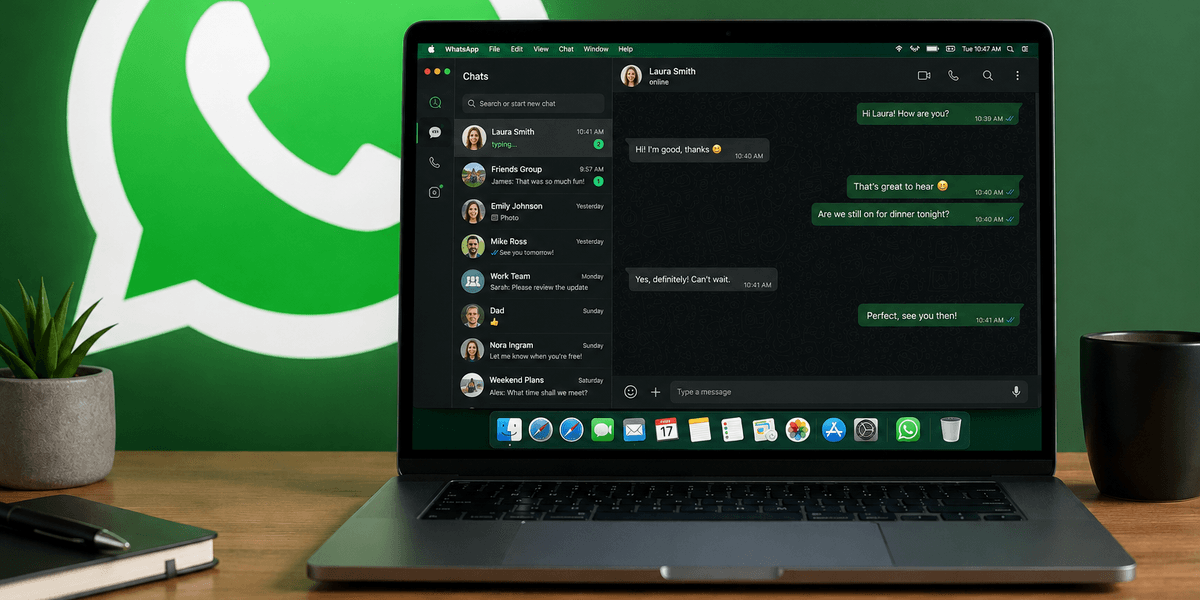
The team over at WABetaInfo has spotted that the Meta-owned desktop version now looks and feels much more like the iPhone and iPad apps — essentially giving all three Apple platforms a matching visual style.
If you're unfamiliar, Liquid Glass is Apple's latest design language, using see-through visual elements that create a sense of depth and ensure your photos, webpages, documents, and videos are always the main focus on-screen.
And WhatsApp has been very slowly adopting it across its apps. The messaging platform first started experimenting with the look on iOS back in October last year, before rolling it out more broadly to iPhone users earlier this year. The iPad version followed shortly after.
Here's what appears to have changed on the Mac-compatible app.
The sidebar seems to have been given a proper overhaul, making it easier to find your way around conversations and groups. The chat bar and attachment menu both look fresher too, bringing everything in line with Apple's latest software aesthetic.
There are a couple of practical improvements worth highlighting as well. WABetaInfo notes that Locked Chats — private conversations in their own secure folder — now sit in their own dedicated section rather than appearing mixed in with your regular conversations. You'll need to authenticate with either your Face ID or passcode before you can view them, which matches how it already works on iPhone.
Communities also appear to have been given their own spot in the sidebar, so you can jump straight into them without digging through your main chat list.
It's worth noting that not everyone will see the new look straight away. As is typical with WhatsApp updates, the refreshed Mac interface is only reaching a small number of users for now. With gradual rollouts like these, they should appear for everyone within the next few weeks.
That's not the only new feature you can expect from WhatsApp on your desktop either.
That's right, there's no need to download an app to your Windows or Mac computer. Just launch WhatsApp Web in Google Chrome, Microsoft Edge, Safari, or your web browser of choice, and you'll now have an (almost) identical set of features to the iPhone and Android app.
Whether it's a one-on-one voice call or a group video call, you can now do it all from WhatsApp Web. If you're a student using a shared computer, stuck on a work laptop that won't let you install apps, or logging into a machine at the library or a friend's house, you can hop on a call without ever leaving your browser.
Plus, the messaging giant is also rolling out seamless call transfers between devices, a waiting room for group calls, instant high-definition video, and more.